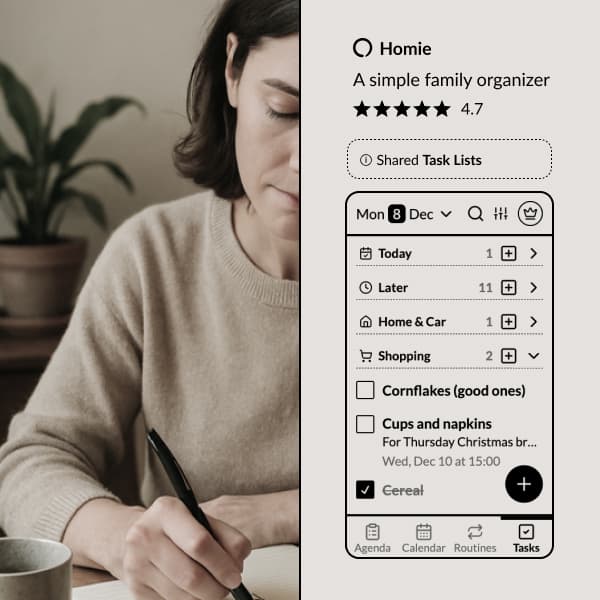
Some things aren't an event and aren't a task. Ideas for Grandma's 80th. The wifi password for the babysitter. What the vet said about the dog's diet.
For a long time those lived in one parent's phone, in a notes app nobody else could open. Notes had been on our own list for a while. Now they're in Homie, shared with the whole family by default.
Shared by default
Every note is visible to everyone in the family. Anyone can read it, edit it, and tick things off. No inviting people, no permissions, no "can you send me that list?"
Add people to a note when it's theirs to deal with, so it's clear who's on it. Everyone else can still see it.
Headings and checklists
Notes aren't just a wall of text. Add headings to split things up, bullet lists, numbered steps, links, and checklists.
Checklist lines can be ticked off by anyone, straight from the note. You don't have to open it for editing first. Hold a line and drag it to reorder. Ticked lines sink to the bottom, so what's left stays on top.
Dates on the tasks inside a note
Every checklist line has a small clock at the end. Tap it, pick a date, and that line becomes a real task. It shows up in Tasks and on that day's agenda, with the name of the note it came from.
Tick it off on the agenda and it's ticked off in the note too. The note stays where you write things down. The agenda is where you see them coming.
Planning a party? Keep the whole plan in one note, and give "order the cake" a date so it turns up on Thursday.
Pin a note to the agenda
Some notes need to stay in view. Pin a note to the agenda for today, for this week, or for good. The dinner rota. The school pickup plan while one of you is away. The house rules for the babysitter.
You can give a note a date too. It shows up at the top of that day's agenda.
Write together
Two people can be in the same note at the same time. You'll see who else is in it, and if you both change things at once, Homie combines your edits instead of one of you losing your work.
Comment on a note to ask a question, or add a quick reaction to say you've seen it. Homie lets you know when someone adds you to a note or comments on it.
Share a note outside the family
Need to send the packing list to Grandpa, or the allergy notes to the new babysitter? Share a note with a view-only link. They can read it without a Homie account, and they can't change anything.
Find it again
Notes show up in Homie's search, alongside your events, tasks and recipes. Filter the notes list by family member, sort it, or search it on its own.
Deleted a note by mistake? It's in Settings, under Deleted items, and you can bring it back.
Why a shared notepad matters
In most families, the useful stuff lives in one person's head or one person's phone. The door code. The list of what to pack for swimming. The name of that plumber who was actually good.
When it's written down where everyone can see it, nobody has to be the family's memory. You stop being asked, and they stop having to ask.
Ready to get it out of your head? Try Homie free.
Ready to organize your family?
Try Homie free and see how simple family organization can be.