The Complete Guide to Syncing Your Family Calendar
Stop asking 'what time is soccer?' The family calendar should be a single source of truth everyone can see—here's how to actually make that happen.

Long story short
- Calendar chaos happens when events live in different apps, devices, and people's heads
- A family calendar needs to be unified, easy for everyone, and visible without effort
- The key is commitment: one calendar is the truth, and everyone uses it
- Make it visible—a mounted tablet works better than an app hidden on phones
- Combine calendar with tasks and routines for a complete family hub
"What time is the dentist appointment?"
"When does swim practice start?"
"Wait, I thought the party was Saturday, not Sunday?"
Sound familiar?
Most families operate with calendar chaos: events in different apps, on different devices, known by different family members. Important information scattered across Google Calendar, Apple Calendar, the school's app, the sports team's schedule, and—worst of all—someone's head.
Getting to a single source of truth is simpler than you might think. But it requires being intentional about how you set things up.
The Chaos of Separate Calendars
Before fixing the problem, let's name it clearly.
- Information silos. Dad has work events on Google Calendar. Mom uses Apple Calendar. Kids have school events in their school's app. Nobody sees the full picture.
- Double-booking. Without visibility across schedules, conflicts happen. Two events at the same time. Nobody available for pickup. Overbooking because nobody knew the day was already full.
- The invisible calendar. Some family members—often the "default parent"—keep the real calendar in their head. Everyone else asks them what's happening. This is exhausting and doesn't scale.
- Last-minute chaos. When information isn't centralized, important details surface too late. "Oh, the birthday party is at 2pm" announced while everyone assumed they had a free afternoon.
These problems get worse as kids get older and schedules get busier. The family with three kids in different activities, two working parents, and no shared calendar is in permanent crisis mode.
What You Actually Need from a Family Calendar
Before choosing a solution, consider what a family calendar actually needs to do:
- Unified view. Everyone's events in one place. Not synced between multiple apps (which breaks constantly) but actually one calendar.
- Easy for everyone. If adding an event requires technical skills, only the technical family member will add things. The system needs to work for everyone.
- Visible without effort. A calendar that requires opening an app on your phone will be forgotten. The best calendar is always visible.
- Includes more than appointments. Family life includes not just events but routines, tasks, and reminders. "Soccer practice" is a calendar event; "pack soccer bag" is a task that should live nearby.
- Shareable without individual accounts. Families share resources. A system that requires every family member to create an account and manage logins adds friction that kills adoption.
Comparing Approaches
Google Calendar
Pros: Free, works across devices, easy sharing.
Cons: Requires individual Google accounts, syncing is temperamental, easy for events to get lost in the wrong calendar, interface assumes adult users, notifications are desktop/phone only.
Verdict: Can work for two-parent coordination. Poorly suited for including kids or having a visible family display.
Apple Calendar
Pros: Built into iOS devices, Family Sharing makes setup easier.
Cons: Only works well in Apple ecosystems, syncing issues when mixing with Google, no good option for a family display, requires iCloud accounts for everyone.
Verdict: If everyone has Apple devices and is tech-comfortable, it can work. Falls apart with Android users or younger kids.
Cozi
Pros: Designed for families, includes lists and meal planning.
Cons: Ad-supported (distracting), engagement-focused design, requires accounts for everyone, notification-heavy.
Verdict: Better than generic calendars for families, but still designed around engagement rather than simplicity.
Paper Wall Calendar
Pros: Always visible, works for everyone, no technology barriers.
Cons: Can't access outside home, no reminders, requires manual updating, gets messy with lots of events.
Verdict: Don't underestimate paper. For some families, especially those wanting to minimize screens, a well-maintained paper calendar works fine.
Purpose-Built Family Apps (like Homie)
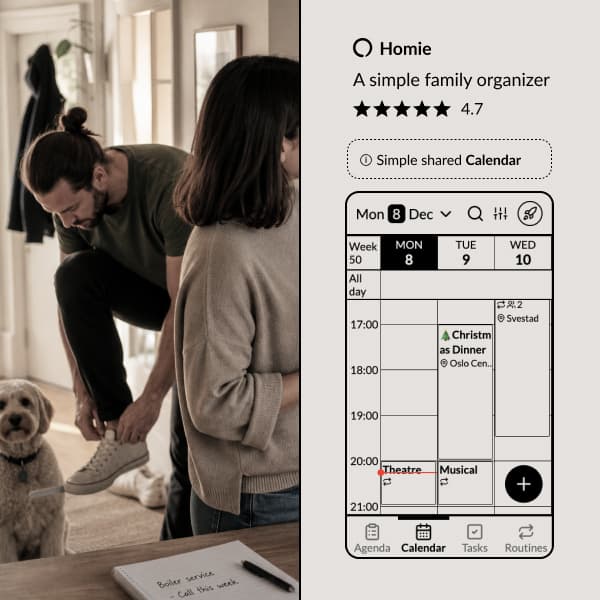
Pros: Designed specifically for families, one shared account for the whole family (no individual logins), works beautifully on e-paper tablets for always-on display, combines calendar with tasks and routines, real-time sync across all devices, can import events from Google and Apple calendars.
Cons: Another app to try.
Verdict: If you want a true family hub rather than adapted individual productivity tools, purpose-built options make sense.
Here's how we've solved it in the Homie app:
made easy!
Notifications so you never forget an event.
Recurring events with support for exceptions.
Task lists on events — pack for the trip, prep for the meeting.
Reactions and comments on events — coordinate with family members.
Birthdays and anniversaries.
Holidays for your country.
View in Google, Apple, or any calendar app.
Import from Google, Apple, and more - with automatic updates.
Share events or entire calendars with anyone.
Setting Up a Single Source of Truth
Whatever tool you choose, the key is commitment: one calendar is the truth, and everyone uses it.
Step 1: Choose Your System
Pick one tool and commit to it. This is a family decision—get buy-in from everyone who'll use it. Consider:
- What devices does everyone have?
- Who needs to add events?
- Where will you display it?
- How tech-comfortable is each family member?
Step 2: Consolidate Existing Events
Gather all the scattered information in one place. This is tedious but necessary:
- Work schedules
- School calendars
- Activity schedules
- Recurring appointments
- Birthdays and important dates
You may need to maintain a two-way sync with work calendars (your work events show on the family calendar without sharing all family events with work). Most tools support this.
Step 3: Establish Input Rules
Who can add events, and how? Clear rules prevent chaos:
- Any family member can add their own activities
- Parents add family-wide events
- Events include: what, when, where, and who needs to be there
- Recurring events are set up once with proper repetition
Step 4: Make It Visible
This is where most families fail. A calendar only works if people look at it.
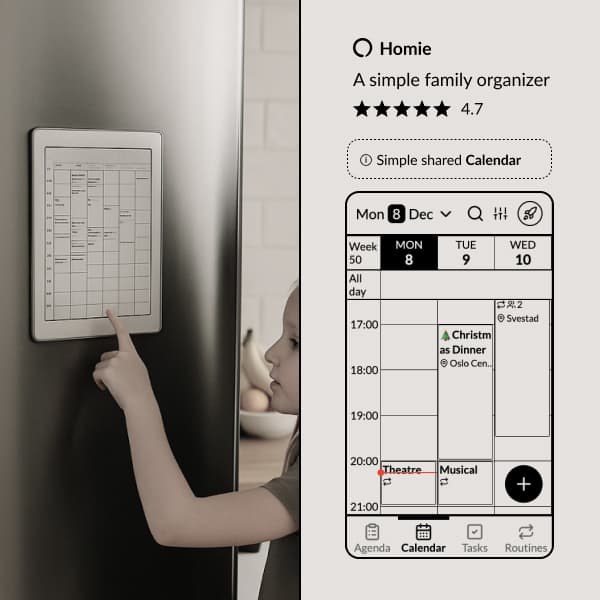
The best solution: a dedicated display. A tablet mounted in a high-traffic area (kitchen, hallway near the door) showing the family calendar at all times. Not a device you pick up and use—a display you glance at in passing.
Second best: a consistent ritual of checking. Every morning at breakfast, review the day. Every Sunday evening, review the week. If checking requires effort, it needs to become habit.
Step 5: Maintain and Enforce
A calendar rots quickly without maintenance. Events pass and aren't removed. New activities aren't added. Someone falls back to keeping things in their head.
Regular review helps: weekly family check-ins that include calendar review keep the system current and keep everyone informed.
The Family Hub Concept
A calendar on its own solves part of the problem. But family logistics are more than appointments.
The "family hub" concept extends the calendar to include:
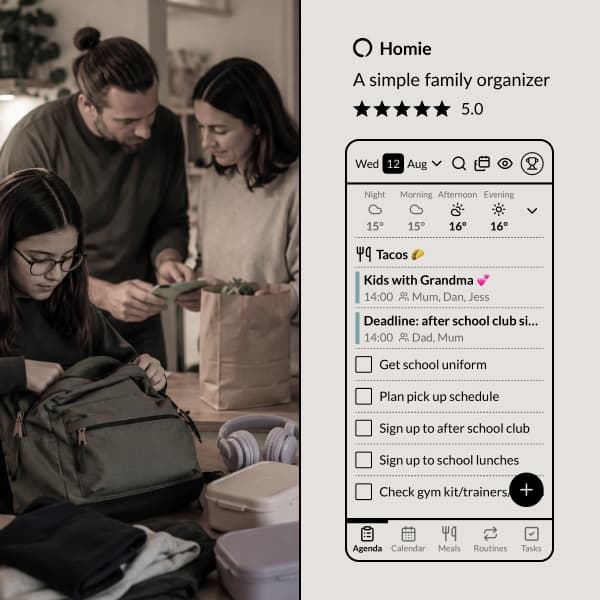
- Tasks. Who's doing what today? Not calendar events but things that need doing. Assigned to specific family members with clear ownership.
- Routines. Morning routine, evening routine, regular responsibilities. These are recurring patterns that run daily, helping kids and adults follow the same sequence without reminders.
The best family organization puts all of this in one place, visible without hunting through different apps.
This is why we built Homie as a hub, not just a calendar. The calendar shows when things are happening. Tasks show what needs to be done. Routines guide the daily patterns. And it all lives on a display that's always visible—optimized for e-paper tablets that sit on the kitchen counter, not hidden in a phone app.
Pro Tips for Family Calendar Success
- Assign family members. Tag each event with who needs to be there. Visual icons or avatars make it easy to scan and see at a glance who has a busy day.
- Sufficient detail. "Soccer" isn't enough. "Soccer practice, Memorial Field, pickup 5pm" is actually useful. Get the address in there for new locations.
- Buffer time. If an event is from 3-4pm, the family obligation actually runs from 2:45 (getting there) to 4:15 (getting home). Account for reality.
- Regular recurrence setup. Take time upfront to set up recurring events properly. "Every Tuesday and Thursday" saves adding things weekly.
- Include prep time. If you need to pack for soccer before the game, that's part of the event. Either include it or create a linked task.
- Weekly preview. Sunday evening, review the coming week as a family. This surfaces conflicts early, ensures everyone knows what's happening, and keeps the calendar habit alive.
Making It Stick
The biggest challenge isn't setup—it's sustained use.
The calendar system fails when:
- One person stops using it and goes back to their own system
- Events aren't added promptly
- Nobody looks at it regularly
- It becomes out of date and therefore untrustworthy
Prevention:
- Get buy-in from everyone before starting
- Make the calendar visible (the display strategy)
- Build in regular review rituals
- When the system fails, fix the system rather than blaming people
A working family calendar is worth the effort to establish and maintain. It eliminates a category of daily friction—the "what's happening" questions, the double-bookings, the last-minute surprises.
More importantly, it gives everyone in the family visibility and autonomy. Kids can see what's coming and prepare for it. Both parents share the knowledge that was previously concentrated in one head. The invisible labor of tracking becomes visible infrastructure that serves everyone.
That's the goal: not just a calendar, but a family that coordinates smoothly because information is shared, visible, and trusted.
Explore Homie
Making busy family life
CALMER
Homie is a simple, yet powerful operating system for your family, so you can stop chasing schedules as the family's notification system.
Ready to organize your family?
Try Homie free and see how simple family organization can be.